SecureCRT alternative for macOS
A native SecureCRT alternative for Mac
Noden is a native macOS client that puts SSH, serial console, dual-pane SFTP, Windows RDP and a Touch ID credential vault in one window. For a network engineer on a Mac it covers the daily switch work; SecureCRT remains the deeper terminal emulator with scripting, Telnet and the same license on Windows and Linux.
Published October 6, 2026 · By Tugay Pala, Useroam Teknoloji
What is SecureCRT?
SecureCRT is VanDyke Software's terminal emulator, a long-standing choice in network teams. It speaks SSH (SSH2 and SSH1), Telnet, Telnet/TLS and serial, with RDP on its Windows edition only. It is built for repetition: tab groups, saved workspaces, a button bar and Command Manager for repeated commands, and scripts in Python (also VBScript, JScript and PerlScript on Windows) with a script recorder. One license registers on Windows, macOS or Linux.
Noden comes at the same desk from the Mac side. It is a native SwiftUI app for SSH, SFTP, RDP and serial console, with a credential vault in the macOS Keychain. It does less terminal emulation and no scripting, but the things a switch-heavy day needs on a Mac live in one window.
SecureCRT and Noden at a glance
| Compared | SecureCRT features · SecureCRT pricing · Noden pricing |
|---|---|
| Platforms | SecureCRT: Windows, macOS and Linux (an iOS app also exists); one license works on any of the three desktops. Noden: macOS 13 or later only, Apple Silicon and Intel. |
| Protocols | SecureCRT: SSH2, SSH1, Telnet, Telnet/TLS, serial; RDP on Windows only. Noden: SSH, SFTP, serial console and RDP on the Mac. No Telnet, no SSH1, no Mosh. |
| Older switches | Noden: offers legacy algorithms (dh-group14-sha1, ssh-rsa, aes-ctr) last, signs in with keyboard-interactive, and accepts devices that announce SSH-1.99. |
| Serial console | Both. Noden adds vendor baud presets: Cisco 9600, FortiGate 9600, Sophos 38400, MikroTik, Aruba CX and Ubiquiti 115200. |
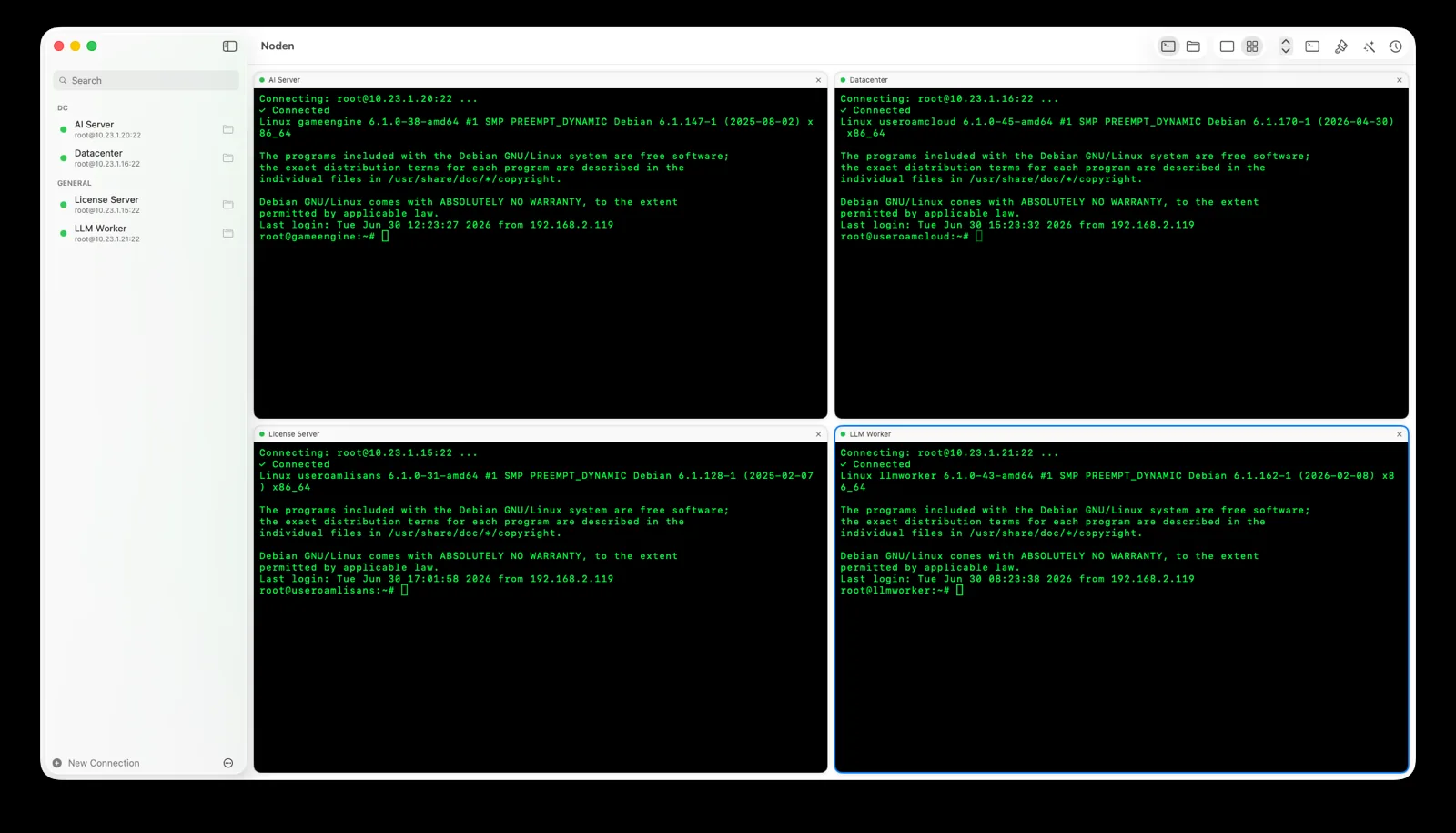
| Many devices at once | SecureCRT: tab groups, button bar, Command Manager, scripts. Noden: tabs or a grid, broadcast input (⇧⌘B), snippets, ⌘P switcher. No scripting language. |
| File transfer | SecureCRT: SFTP, Xmodem, Ymodem, Zmodem, Kermit and a built-in TFTP server; the graphical client is SecureFX, sold separately or in a bundle. Noden: dual-pane SFTP browser with drag and drop and remote editing. |
| Credentials | Noden: vault in the macOS Keychain behind Touch ID, device-only, with TOTP codes and a Chrome/Firefox extension (Noden 2.0+). |
| Pricing | SecureCRT: $119 per license with one year of updates, $190 with three years (single-license prices). Noden: free for 5 saved connections; Pro is $5.99 your first year, then $10.99/year. |
Checked on 6 October 2026.
When is Noden a good fit?
Noden fits when your workstation is a Mac and the job is interactive: log into a core switch over SSH, plug a USB-to-serial cable into a console port on the new firewall, copy a config backup off a Linux box, and open the Windows jump server that runs the vendor's management tool. In Noden those are four tabs in the same window, and the RDP session sits in the same grid as the terminals.
Old gear is the usual reason Mac users fall back to another tool. Noden keeps modern algorithms first and only offers dh-group14-sha1, ssh-rsa and aes-ctr when the device asks for nothing better, so you do not edit ~/.ssh/config per switch. Switches that prompt with keyboard-interactive and those that announce SSH-1.99 connect normally. The guide to SSH on old switches walks through the error messages, and the serial console guide covers adapters and baud rates.
For change windows, broadcast input (⇧⌘B) sends the same keystrokes to every open terminal, snippets hold the commands you type every week, and SSH tunnels with ProxyJump reach devices behind a bastion. Passwords and enable secrets stay in the Keychain vault and can be typed into a session without passing through the clipboard.
When is Noden not a replacement?
If your work runs on SecureCRT scripts — a Python script that logs into fifty switches and collects output, or a recorded login sequence — Noden has nothing equivalent; broadcast input and snippets are manual tools, not automation. Noden also has no Telnet, so devices that only speak Telnet still need another client. SecureCRT's emulation options, keyword highlighting depth and session-logging controls go further than Noden's xterm-compatible terminal.
Teams that switch between Windows, Linux and Mac machines benefit from SecureCRT's single license and identical session files on every desktop. Noden runs only on macOS and does not sync connections across devices.
Troubleshooting
A switch only accepts Telnet
Noden does not speak Telnet. Enable SSH on the device if you can, use the serial console port, or keep a Telnet client for that one box.
The SSH handshake fails on an old device
Noden reports the real cause rather than hanging. Most older switches connect through the legacy algorithm fallback; devices that only offer SSH1 (not SSH-1.99) cannot connect.
You rely on scripts for bulk changes
Keep SecureCRT or a Python tool for scripted runs. Noden's broadcast input suits interactive changes across a handful of sessions you are watching.
The console shows garbage characters
The baud rate is wrong. Pick the vendor preset (Cisco 9600, Sophos 38400, MikroTik 115200 and so on) or set the rate by hand.
Install Noden on macOS
Install the notarized app directly or with Homebrew. Apple Silicon and Intel, macOS 13 or later. The Mac App Store version is also available; the Noden Vault browser extension needs Noden 2.0 or later, which is on the direct download and Homebrew today, with the Mac App Store update on its way.
brew install --cask useroamteknoloji/tap/nodenFrequently asked questions
Is Noden a good SecureCRT alternative on Mac?
For interactive network work on a Mac, often yes. Noden puts SSH with legacy-switch support, serial console, dual-pane SFTP, Windows RDP and a Touch ID vault in one native app. SecureCRT is the stronger choice if you depend on scripting, Telnet or one license across Windows, macOS and Linux.
Does Noden support Telnet or scripting like SecureCRT?
No. Noden has no Telnet and no scripting language. It offers broadcast input to all open terminals, snippets and a quick switcher for manual work. If you run Python scripts against many devices, SecureCRT or a separate automation tool is the better fit.
Can Noden connect to old Cisco and HP switches?
Yes, in most cases. Noden offers legacy algorithms such as dh-group14-sha1, ssh-rsa and aes-ctr last, supports keyboard-interactive sign-in and accepts devices that announce SSH-1.99. Devices that only speak SSH1 or Telnet are not supported.
How much does Noden cost compared with SecureCRT?
Noden is free for up to five saved connections of any type, including serial and RDP. Pro is USD 5.99 your first year, then USD 10.99 per year. On 6 October 2026 VanDyke listed SecureCRT at USD 119 per license with one year of updates, or USD 190 with three years.
See also: SSH to old switches on Mac · Serial console for Mac · PuTTY for Mac · MobaXterm alternative for Mac · Royal TSX alternative for Mac